Low-Cost Document Automation for Business: A Real-World Guide for Moldova SMEs
- Author raghad khudair
- Date 07 Jul 2026
- Time 6 min to read
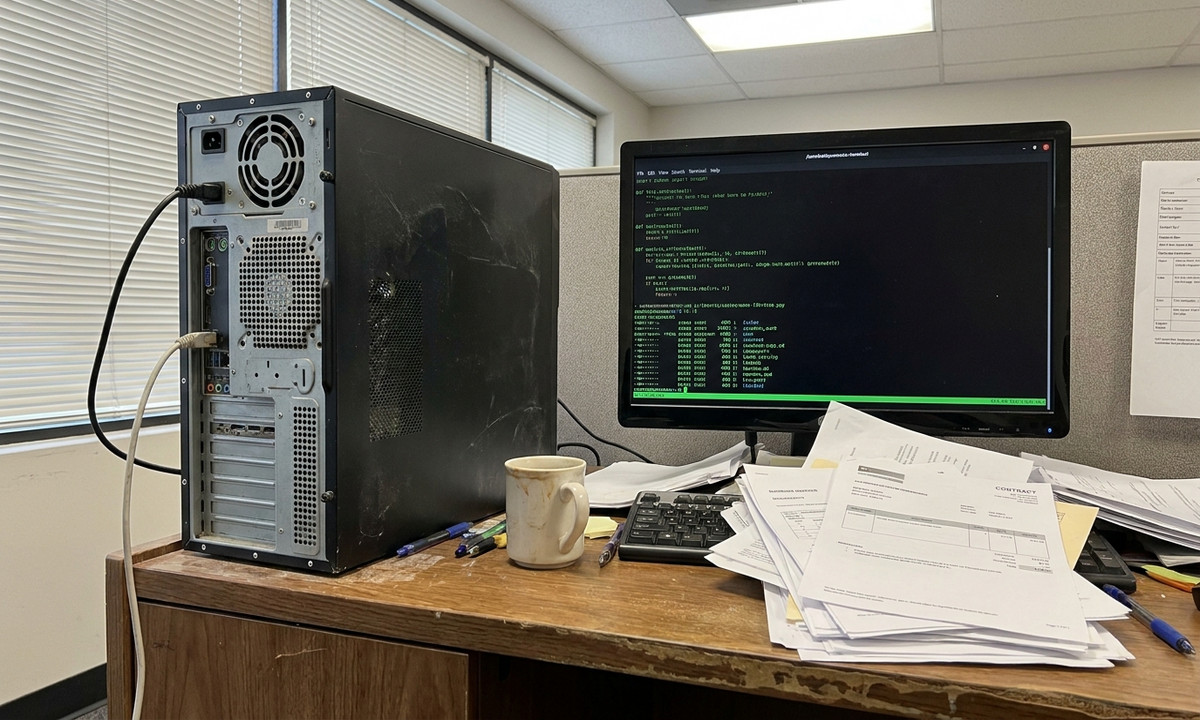
Ever wonder how much time your team actually wastes just dragging files into folders? Honestly, most business owners think tech upgrades cost a fortune, but you can build a solid system for document automation for business using a dusty old PC and a few basic scripts. You can basically create a private automated filing system by setting up a local Nextcloud or Samba server, organizing your folders properly, and letting a simple Python script handle the boring task of sorting your invoices and HR contracts the moment they arrive.
Manual document handling is a silent productivity killer. In my experience, most offices lose about a full day of work every single week just because staff are hunting for PDFs or sorting through messy downloads. But you don't need a massive budget or fancy enterprise software to fix this. To be fair, keeping your document automation for business local keeps your costs near zero while ensuring your data never leaves your sight.
What You Need Before Starting (Prerequisites)
Why spend thousands on new gear when your old office PC is just sitting there? You don't need high-end equipment to get this running. I've seen plenty of SMEs run their entire automation flow on a machine that was headed for the recycling bin.
- A dedicated computer running Ubuntu Server 22.04 LTS (even an old office PC with 8GB RAM is fine).
- Static local IP address configured on that server.
- Python 3 installed with the
watchdogpackage. - Admin access to your local network.
The thing is, you really don't need a professional rack server for this.
In practice, an old office desktop with 8GB of RAM does the job perfectly. Just make sure it stays powered on 24/7.
Step 1: Setting Up Your Secure Local Storage Server
Who wants to deal with complex cloud permissions when a local drive just works? We're going to use Samba to create a shared folder that shows up as a network drive for everyone in the office. It's fast, it's reliable, and the data stays inside your physical building.
Run these commands on your Ubuntu server to install and configure Samba:
sudo apt update && sudo apt install samba -y sudo mkdir -p /srv/documents/incoming sudo chmod -R 0777 /srv/documents/Now, open the configuration file at /etc/samba/smb.conf and add this block to the bottom:
[IncomingDocs] path = /srv/documents/incoming browsable = yes read only = no guest ok = yesRestart the Samba service to apply these rules: sudo systemctl restart smbd. Once that's done, anyone on the Wi-Fi can just drop files into the shared folder like they would with a USB stick.
What most people miss here is that local servers must have static IP addresses, or your automated scripts will break the moment your router reboots. Set this in your router's DHCP reservation page.
Step 2: Configuring Folder Structures for Invoices and HR Contracts
Have you ever tried to find a specific file in a folder containing five thousand unsorted documents? Automation is great, but without a clear structure, you're just creating high-speed chaos. We need specific landing spots for different departments.
Create the destination directories using your terminal:
sudo mkdir -p /srv/documents/processed/invoices sudo mkdir -p /srv/documents/processed/hr_contractsWhat actually works is keeping your naming conventions dead simple. Tell your staff to start file names with 'Factura_' for invoices or 'Contract_' for HR files. This one small rule makes the automation nearly perfect.
If the rules are too hard to follow, people will just ignore the system entirely.
The reality is, if your naming convention is too complex, your staff will just bypass the system entirely. Keep it dead simple.
Step 3: Creating Automated Rules for File Management
What if your computer could just "watch" the folder and move things for you automatically? This is where the real document automation for business happens. We'll write a small Python script that stays active in the background, moving files the second they land in the 'incoming' folder.
Install the required Python library first: pip3 install watchdog. Next, save the following script as /srv/documents/organizer.py:
import os import time from watchdog.observers import Observer from watchdog.events import FileSystemEventHandler class DocumentHandler(FileSystemEventHandler): def on_created(self, event): if event.is_directory: return filepath = event.src_path filename = os.path.basename(filepath) time.sleep(1) # wait for file write to complete if filename.startswith('Factura_'): os.rename(filepath, f'/srv/documents/processed/invoices/{filename}') elif filename.startswith('Contract_'): os.rename(filepath, f'/srv/documents/processed/hr_contracts/{filename}') observer = Observer() observer.schedule(DocumentHandler(), path='/srv/documents/incoming', recursive=False) observer.start() try: while True: time.sleep(1) except KeyboardInterrupt: observer.stop() observer.join()To make sure this script starts every time the server boots, we need to create a service. Open /etc/systemd/system/doc-watcher.service and paste this in:
[Unit] Description=Document Watcher Service After=network.target [Service] Type=simple User=root ExecStart=/usr/bin/python3 /srv/documents/organizer.py Restart=on-failure [Install] WantedBy=multi-user.targetActivate it with: sudo systemctl enable doc-watcher && sudo systemctl start doc-watcher. In my experience, once this is running, people stop complaining about lost files almost immediately.
In practice, parsing PDF text directly is much better than relying on names, but starting with file-name patterns is the smartest way to avoid initial bugs.
Step 4: Testing the Workflow and Backing Up Data Locally
Does the script actually do what it's supposed to? To test it, just create a dummy file called Factura_Test.pdf and drop it into the network folder from your laptop.
If everything is set up right, the file should vanish from the 'incoming' folder and reappear in the 'invoices' folder within a second. If it stays put, you likely have a permissions issue with your Python script.
Also, don't forget a backup. Is there anything worse than losing your whole archive because a single hard drive failed? Run crontab -e and add this line to copy your data to a USB drive every night:
0 22 * * * rsync -av --delete /srv/documents/ /media/backup_drive/This keeps your data safe without you having to think about it.
Here's what actually happens: teams forget to test edge cases, like files with identical names, which leads to overwritten documents. Always append a timestamp if you want to avoid this issue.
Common Mistakes and How to Avoid Them
Why do the simplest errors always cause the biggest headaches? While building your own document automation for business tools is satisfying, a few small traps can ruin your day.
- Using fixed paths: If you move your folders later, hardcoded paths will break your scripts. Use configuration files or variables instead.
- Ignoring reboots: If you don't set up the systemd service, your automation stays dead after a power flicker.
- Broad permissions: Be careful with Samba. You don't want a guest on the office Wi-Fi snooping through payroll contracts.
Honestly, small mistakes in the beginning are better than finding out a year later that your backup wasn't actually working.
In practice, absolute hardcoded paths in scripts will break the moment you move the folders to another drive. Save yourself the headache early.
Real-World Applications for Chișinău and Moldova SMEs
Why bother building this yourself instead of just paying for a global cloud service? The thing is, running a business in Chișinău means you have to deal with local data protection laws like Legea nr. 133. Sending sensitive 'Factura Fiscală' data to a random cloud server outside of Moldova can be a legal nightmare. Keeping everything on a physical machine in your Botanica or Rîșcani office is often the smarter move for compliance.
Plus, most local SMEs are working with tight margins. Why pay for expensive monthly subscriptions when you can use that money to hire more people? Helping your team learn these kinds of technical workflows is a massive advantage. If you want to get your staff up to speed, take a look at the practical IT and workflow automation training at MentoraX to help scale your operations right here in Moldova.
Frequently Asked Questions
How long does it take to build a document automation system?
If you have the hardware ready, you can get a basic version running in about two or three hours. Most of that time is just waiting for updates to install.
What are the prerequisites for document automation for business?
Honestly, just an old PC, some Linux knowledge, and the patience to write a few lines of Python to handle the file movements.
Is document automation for business relevant for professionals in Moldova?
Absolutely. It's the best way to handle 'facturi fiscale' and employee records while staying compliant with local privacy laws without spending a fortune.
What tools do I need for low-cost file management?
Stick to open-source. Ubuntu Linux, Samba for the networking, and Python's watchdog library are all you really need to get started.
How much does it cost to learn document automation in Moldova?
You can learn a lot for free online. But if you want a structured course that focuses on real-world business needs, local programs usually run between 200 and 500 EUR.


Related Posts
12 Jul 2026 8 Min Read raghad khudair
How to Navigate IT Career Growth in Moldova in the Age of AI (A Real Guide)
Looking to future-proof your tech career in Moldova? Here is what actually works when it comes to AI upskilling and practical digital skills development.

11 Jul 2026 6 Min Read raghad khudair
Scaling Your Moldova Agency: How to Actually Automate Your Onboarding
Stop wasting time on admin in Chișinău. Learn how business workflow automation fixes client onboarding, removes manual data entry, and helps your agency grow.
10 Jul 2026 10 Min Read raghad khudair
IT Career Growth Moldova: Why Soft Skills Actually Matter More Than Code
Wondering what drives real IT career growth in Moldova? Honestly, it's soft skills. Find out how to push your tech career forward in Chișinău with this practical guide.