How to Design a High-Impact Psychological Safety Workshop for Hybrid Teams | MentoraX
- Author raghad khudair
- Date 16 May 2026
- Time 15 min to read
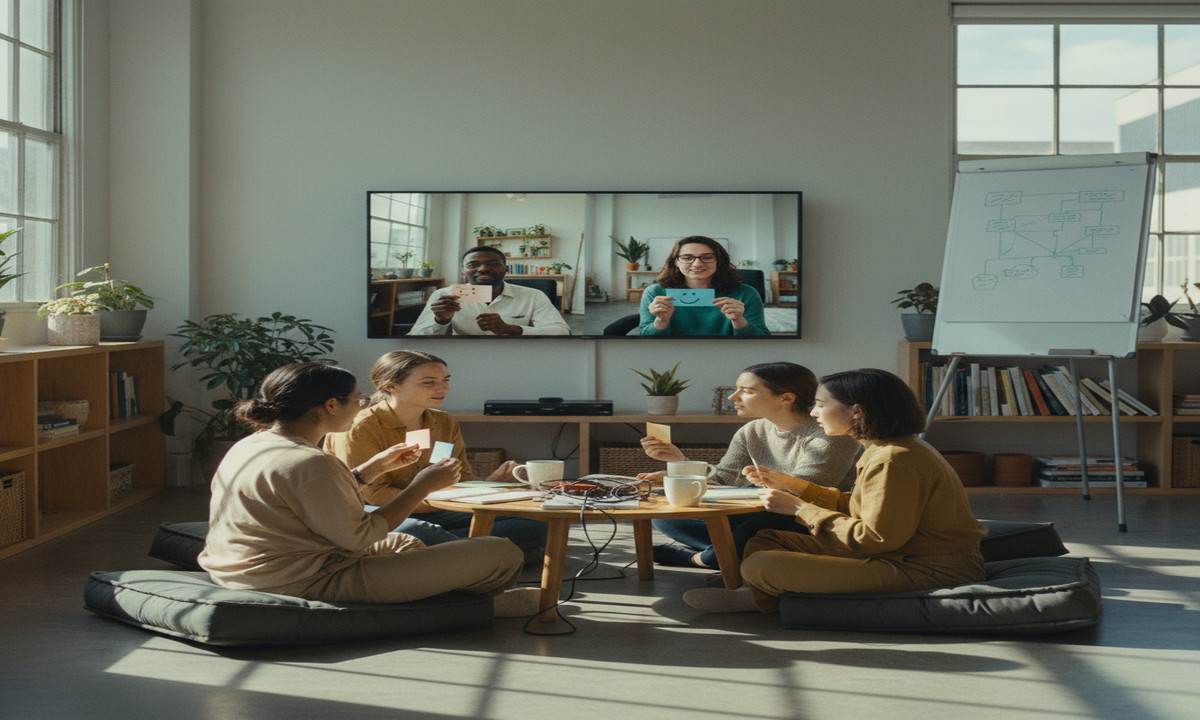
How to Design a High-Impact Psychological Safety Workshop for Hybrid Teams
In the modern workspace, the concept of psychological safety has moved from a 'nice-to-have' cultural element to a critical driver of innovation and retention. Amy Edmondson, the Harvard professor who popularized the term in her book The Fearless Organization, defines psychological safety as a belief that one will not be punished or humiliated for speaking up with ideas, questions, concerns, or mistakes. In a hybrid environment, maintaining this environment becomes significantly more complex. When half your team is in a boardroom and the other half is on a screen, the natural cues of trust can easily evaporate.
Designing a workshop to address this requires more than just a quick Zoom call. You need a structured approach that addresses the unique pressures of digital interaction. At MentoraX, our leadership camps focus on these exact human-centric challenges, ensuring that technical proficiency is matched by emotional intelligence. This tutorial provides a blueprint for facilitators to build a high-impact session that bridges the gap between remote and in-office team members.
Prerequisites & Facilitation Tools Needed
Before you begin the design process, you must gather the right tools and foundational knowledge. Attempting a workshop of this depth without the proper infrastructure often leads to technical friction, which inadvertently lowers the psychological safety you are trying to build. A common mistake here is assuming everyone is comfortable with the tech stack; always plan for a brief 'onboarding' within the workshop itself.
- Virtual Whiteboarding Tool (Miro/Mural): You need a shared visual space where both remote and in-person participants can contribute simultaneously. Miro or Mural are the industry standards for this.
- Video Conferencing Platform: High-quality audio and video are non-negotiable. Use Zoom or Microsoft Teams, ensuring you have the 'Breakout Rooms' feature enabled.
- Anonymous Polling Software: Tools like Slido or Mentimeter allow participants to share honest feelings without the fear of their name being attached to a 'negative' sentiment.
- The Amy Edmondson Framework: Familiarize yourself with the four dimensions of psychological safety: Willingness to help, Inclusion/Diversity, Attitude to risk and failure, and Open conversation.
- Facilitator Kit: A digital timer, a curated playlist for background music (to fill the 'awkward silence' during individual work), and a clear, shared agenda.
Step 1: Assessing Current Safety Levels (The Initial Setup)
You cannot solve a problem you haven't measured. The first step is to establish a baseline of how safe the team currently feels. This is what we call the 'Initial Setup' phase. If you skip this, your workshop might address issues that don't exist while ignoring the 'elephant in the room.'
- Distribute a Pre-Workshop Pulse Survey: One week before the session, send out a brief, anonymous survey. Use questions based on the Amy Edmondson Fearless Organization scan. For example: 'On this team, it is easy to speak up about problems and tough issues.'
- Analyze the Data for Friction Points: Look for gaps between the remote and in-office responses. If remote workers feel significantly less heard than those in the office, your workshop needs to focus heavily on 'Proximity Bias.'
- Create an 'Artifact of Intent': Based on the data, write a clear objective for the workshop. For example: 'To create a team agreement that encourages risk-taking and reduces the fear of reporting errors.'
- Configure the Digital Workspace: Open Miro and create a dedicated board. Use a 'Welcome' frame that includes the agenda and a tutorial on how to use 'Sticky Notes.' This reduces the initial Cognitive load management issues when the session starts.
Step 2: Defining Digital Participation Norms (Core Configuration)
In a hybrid setting, the 'loudest voices' in the physical room often dominate the conversation. Step 2 is about setting the 'Core Configuration' of your interaction to ensure equity. You must explicitly define how the team will communicate during the session to prevent 'participation fatigue.'
- Set the 'Camera-On' Policy with Empathy: Instead of a strict mandate, explain why visibility helps. Say something like: 'If you are able, keeping cameras on helps us read non-verbal cues, but if you need to step away or take a 'screen break' for your mental health, please do so.'
- Implement 'Chat-First' Responses: For certain questions, ask everyone to type their answer into the Zoom Chat but NOT hit enter until you give the signal. This 'Chat Waterfall' ensures that junior members aren't influenced by the answers of senior leaders, fostering an environment where all perspectives are valued equally.
- Establish 'Equal Airtime' Rules: Explicitly state that for every person who speaks in the physical room, you will call on one person from the digital 'gallery.' This balances the power dynamic.
- Minimize Multi-Tasking: Explicitly ask participants to close Slack and Email. Explain that Cognitive load management is essential for deep emotional work; the brain cannot build trust while distracted by notifications.
Step 3: Interactive Exercises and Safety Testing (Execution)
This is the heart of the workshop. You will move the team through a Vulnerability-based trust framework. This isn't about sharing deep personal secrets; it's about professional vulnerability-the ability to say 'I don't know' or 'I made a mistake.'
- The 'Failure Resume' Activity: In Miro, create a frame called 'The Failure Wall.' Ask everyone, including the highest-ranking leader, to post a sticky note describing a professional mistake they made and what they learned. Seeing a leader admit a mistake is the fastest way to build safety.
- Breakout Room 'Safety Sprints': Move participants into small groups of 3 (mixing remote and in-office). Give them a prompt: 'What is one thing we do as a team that makes you hesitate to speak up?' Small groups feel safer than the large group.
- The 'Anxiety Audit': Ask the team to identify 'Unspoken Rules' they feel they must follow. For example, 'Never disagree with the Director in a meeting.' Collect these anonymously via Slido and discuss them as a group.
- Establish Asynchronous Feedback Loops: Not everyone thinks best in the moment. Create a section on your Miro board that stays open for 48 hours after the workshop. This allows introverts or those in different time zones to contribute their thoughts after reflecting. This is a key part of MentoraX's digital transformation philosophy-utilizing tools to respect different working styles.
Common Errors & Troubleshooting Disengagement in Hybrid Settings
Facilitating these sessions is rarely a linear process. You will likely encounter resistance or technical hurdles. Here is how to handle the most common issues:
- The 'Silent Gallery' Syndrome: If remote participants are staying on mute with cameras off, do not call them out aggressively. Instead, use a low-stakes poll to re-engage them. Ask: 'On a scale of 1-5, how much do you agree with the current point?'
- Proximity Bias: If the in-office group starts having 'side conversations,' stop the session immediately. Remind them: 'If it's not in the microphone, it didn't happen.' At MentoraX, we suggest having an 'In-Room Advocate' whose only job is to monitor the chat and ensure remote voices are integrated.
- Tech Overload: If participants are struggling with Miro, switch to a simpler method like a shared Google Doc. The tool should never get in the way of the conversation. High Cognitive load management kills empathy.
- The 'False Safety' Trap: A common mistake is assuming that because people are laughing, they feel safe. Look for 'polite silence.' If no one is disagreeing with the leader, you haven't reached true psychological safety yet. Double-check your Vulnerability-based trust framework and consider doing another round of anonymous polling.
Frequently Asked Questions
How long should a psychological safety workshop be?
For a hybrid team, we recommend 90 to 120 minutes. Anything longer leads to significant 'Zoom fatigue.' If you have more content, split it into two sessions with an Asynchronous feedback loop in between.
What if the team leader is the reason people don't feel safe?
This is a delicate but common situation. In our MentoraX leadership programs, we coach facilitators to have a 1-on-1 with the leader before the workshop. Explain that their role is to listen and go first in the 'vulnerability' exercises. If the leader isn't ready to do that, the workshop may need to be delayed.
Can we do this exercise without cameras?
While possible, it is much harder. Humans rely on facial expressions to detect threat or safety. If cameras must be off, you need to rely much more heavily on verbal 'check-ins' and frequent anonymous polling to gauge the room's energy.
How do we measure the success of the workshop?
Success is measured by a change in behavior over the following month. Do you see more people admitting mistakes in Slack? Are meetings more collaborative? Re-run your Amy Edmondson survey 30 days after the workshop to see if the scores have improved.
Recent Blogs



Related Posts

15 May 2026 12 Min Read raghad khudair
Mastering Root Cause Analysis: A Guide to the 5 Whys Framework
Learn how to conduct a professional Root Cause Analysis (RCA) using the 5 Whys framework to identify and solve project failures effectively.